
A warehouse management system (WMS) is the software that tells a warehouse what is where, what should move next and who should move it. Without one, stock accuracy depends on memory, spreadsheets and end-of-month counts that never quite reconcile. This guide explains what a WMS does at each stage of the warehouse flow, how it connects to your ERP and sales channels, and how to plan a rollout that works in East African conditions, including patchy connectivity and power.
Key takeaways
- A WMS manages stock at the location level (bin, shelf, pallet position), not just the warehouse level. That granularity is what makes picking fast and counts accurate.
- The core flow is receive, putaway, store, pick, pack, ship, with cycle counting running continuously in the background.
- Every physical movement should be confirmed by a scan. Barcode or RFID scanning is what turns a WMS from a database into a control system.
- The WMS usually sits beside an ERP or accounting system: the ERP owns financial stock value, purchase orders and invoices; the WMS owns physical execution.
- Rollouts fail on data quality, location labelling and change management far more often than on software features.
What a WMS does (and what it does not)
An inventory module in an accounting system tracks how much stock you own and what it is worth. A WMS goes further by tracking:
- Where each unit, carton or pallet is stored, down to a specific bin or rack position.
- What state it is in: received, quarantined, available, allocated, picked, packed, shipped.
- Which tasks need doing: putaway this pallet, replenish that pick face, pick these five orders.
- Who did what, and when, for traceability and performance management.
- Lot, batch, serial and expiry information, which matters for pharmaceuticals, food and beverages, agrochemicals and electronics.
A WMS does not usually handle general ledger accounting, supplier payments or tax invoicing. Those stay in the ERP or accounting system, which in Kenya also handles KRA eTIMS invoicing.
Where a WMS fits
Sales channels                 ERP / accounting                    WMS                         Floor
(e-commerce, POS,   ---->   (orders, purchase orders,   ---->  (tasks, locations,   ---->  (handheld scanners,
 B2B portal, EDI)             invoicing, eTIMS,                 stock by bin,              label printers,
                              stock valuation)        <----     confirmations)   <----     pick carts, RFID)
                                                                      |
                                                                      v
                                                          Transport / courier systems
                                                          (shipments, tracking)
Orders and purchase orders flow down from the ERP. Confirmed receipts, picks and shipments flow back up so that invoicing and stock valuation stay accurate.
The core warehouse flow
1. Receiving
Goods arrive against an expected receipt, usually an advance shipping notice (ASN) or a purchase order. The receiver scans the delivery and each item or carton. The WMS:
- Compares what arrived with what was expected and flags over-, under- and wrong deliveries.
- Captures lot numbers, expiry dates and serial numbers where required.
- Prints licence plate number (LPN) labels for pallets or cartons so they can be tracked as a unit.
- Routes items to quality inspection or quarantine if required.
Blind receiving, where the receiver does not see expected quantities, reduces the temptation to simply confirm what the paperwork says.
2. Putaway
The WMS proposes a storage location based on rules: product size and weight, velocity (fast movers near dispatch), temperature or hazard class, and available space. The operator moves the item and scans the destination location label to confirm. If the operator puts it somewhere else, they scan the actual location and the system records the truth.
This step is where accuracy is won or lost. Stock that is put away without a location scan is effectively missing.
3. Storage and slotting
Slotting is the practice of assigning products to locations to minimise travel and handling. Good WMS platforms analyse pick history and suggest re-slotting: moving fast movers to waist-height locations near the dispatch area and slow movers to upper racks or the back of the building.
4. Replenishment
Many warehouses separate bulk storage (pallets in high racking) from pick faces (shelves or flow racks at ground level). The WMS triggers replenishment tasks when a pick face falls below a minimum level or ahead of a planned wave of orders.
5. Picking
Picking is usually the most labour-intensive activity, so WMS platforms support several strategies:
| Strategy | How it works | Best for |
|---|---|---|
| Discrete (order) picking | One picker picks one order at a time | Low volume, large or bulky orders |
| Batch picking | One picker collects items for several orders in one trip, then sorts | Many small orders with overlapping SKUs, typical in e-commerce |
| Zone picking | Each picker covers one zone; orders pass between zones | Large warehouses with distinct areas such as cold, bulky and small parts |
| Wave picking | Orders are released in timed waves aligned with courier cut-offs or truck departures | Operations with scheduled dispatch, such as upcountry route deliveries |
| Cluster picking | Picker carries a cart with multiple totes, one per order | E-commerce with small items |
The WMS generates a pick path that orders locations to reduce walking. Each pick is confirmed by scanning the location and the item, which catches wrong-item errors before they leave the building.
6. Packing
At the packing station, the operator scans each item into a carton. The WMS checks it against the order, suggests a carton size, records the weight and prints the shipping label and packing list. For courier integrations, it can request a tracking number automatically.
7. Shipping
Packed orders are staged by route or carrier, loaded and confirmed. The WMS marks them as shipped, which triggers invoicing in the ERP and notifies the customer. For businesses running their own delivery fleets across Nairobi and upcountry routes, the WMS may feed a route planning or transport management system.
8. Cycle counting
Instead of shutting down for an annual stocktake, a WMS schedules small counts every day. Common approaches:
- ABC counting: high-value or fast-moving "A" items are counted more often than "C" items.
- Exception counts: a location is counted when a picker reports a shortage or when the system detects a negative balance.
- Zero-stock counts: when a location reaches zero, the picker confirms it is actually empty.
Continuous counting finds errors close to the time they happen, when the cause is still traceable.
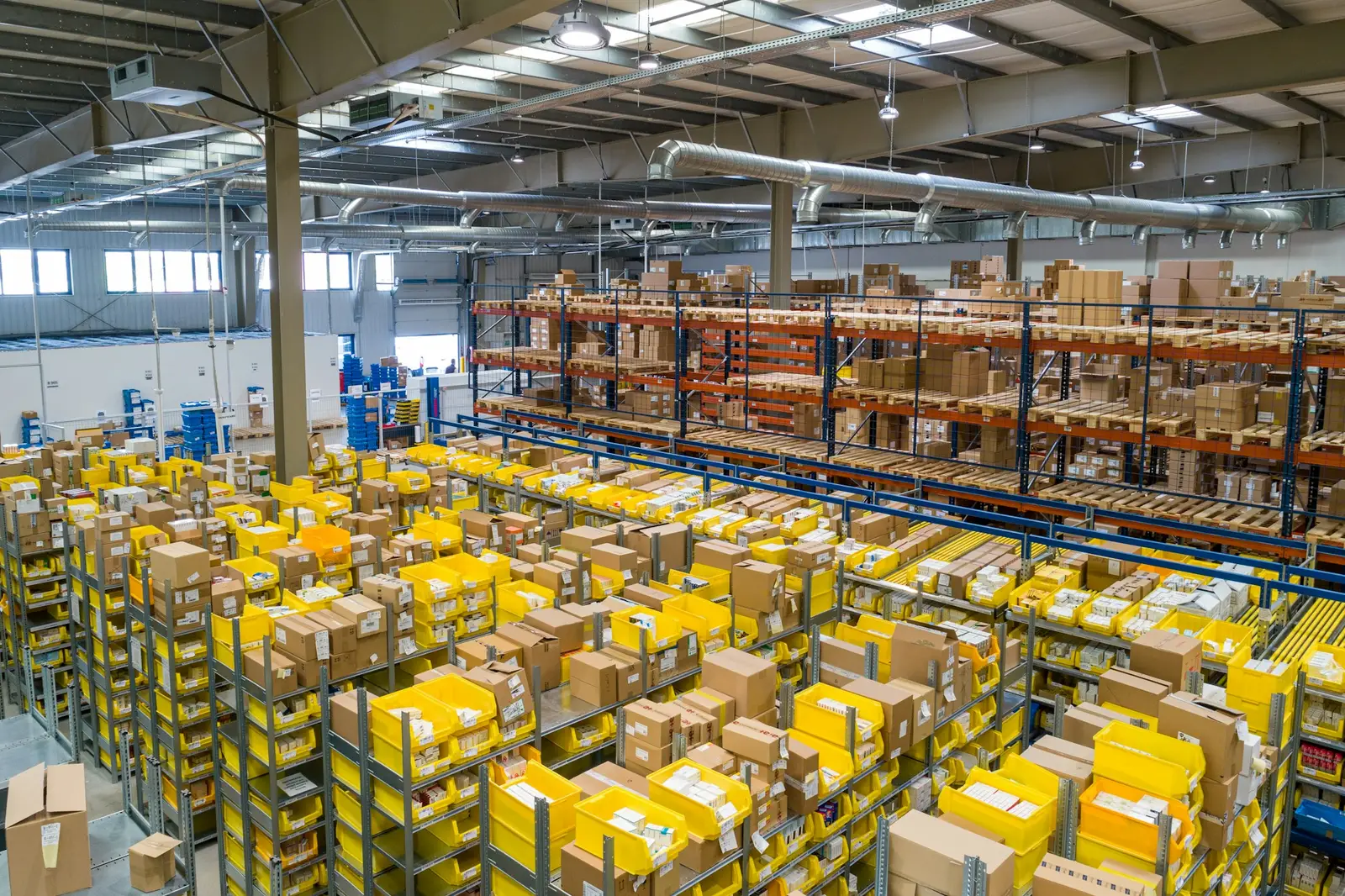 Every bin location in a warehouse like this needs an accurate digital record.
Data model essentials
A WMS is only as good as its master data. The essential entities are:
- Item (SKU): code, description, unit of measure, dimensions, weight, barcode(s), handling attributes such as lot control and expiry tracking.
- Units of measure and pack hierarchy: each, inner pack, carton, pallet, with conversion factors. Kenyan distributors commonly sell the same item by piece to retailers and by carton to wholesalers, so this must be right.
- Location: warehouse, zone, aisle, rack, level, bin. Each location needs a unique, scannable label.
- Inventory record: item, location, quantity, status, lot, expiry, LPN.
- Transactions: every receipt, move, pick, adjustment and count, with user and timestamp.
Get location naming right before go-live. A scheme such as A-03-02-B (zone A, aisle 3, level 2, bin B) is readable by humans and machines.
Hardware and connectivity
A WMS needs reliable devices on the floor:
- Rugged handheld mobile computers with integrated scanners, such as Zebra's TC and MC series or Honeywell's CT series. Consumer phones break quickly in a warehouse and scan poorly.
- Label printers for location labels, LPNs and shipping labels. Thermal transfer labels last longer on racking than direct thermal ones, which fade.
- Wi-Fi coverage designed for metal racking, which blocks and reflects signals. A proper site survey is essential; a few consumer access points in the roof rarely work.
- Fixed scanners or RFID portals at dock doors for high-volume operations. Our barcode vs RFID guide compares the options.
Designing for East African conditions
- Power: put access points, switches and servers on a UPS with generator backup. A Wi-Fi outage stops scanning, and stopped scanning means unrecorded moves.
- Internet: if your WMS is cloud-hosted, a fibre outage can halt operations. Choose a WMS with offline-capable mobile apps or keep a dual-ISP setup with automatic failover, typically fibre plus LTE from a different provider.
- Heat and dust: warehouses in Mombasa, Athi River or Nakuru can be hot and dusty. Choose devices with appropriate ingress protection ratings and plan battery swaps for full shifts.
- Skills: many warehouse staff are highly capable but new to scanners. Short, role-specific training and clear on-screen prompts (consider Swahili labels where the WMS supports localisation) speed adoption.
Integrations
A WMS that does not talk to other systems creates double entry. Typical integrations include:
- ERP or accounting: Odoo, SAP Business One, Microsoft Dynamics 365 Business Central, Sage and others. Purchase orders and sales orders down, receipts and shipments up.
- E-commerce: Shopify, WooCommerce or a custom storefront for order intake and stock availability.
- Tax invoicing: in Kenya, invoices must go through KRA eTIMS. This is normally handled by the ERP or invoicing system, but the WMS shipment confirmation is often the trigger.
- Couriers and transport: booking, label generation and tracking where carriers offer APIs.
- Payments: for cash-on-delivery operations, reconciling M-Pesa payments against delivered orders.
Prefer integrations through documented APIs or message queues over nightly file transfers, which leave stock out of date for most of the day.
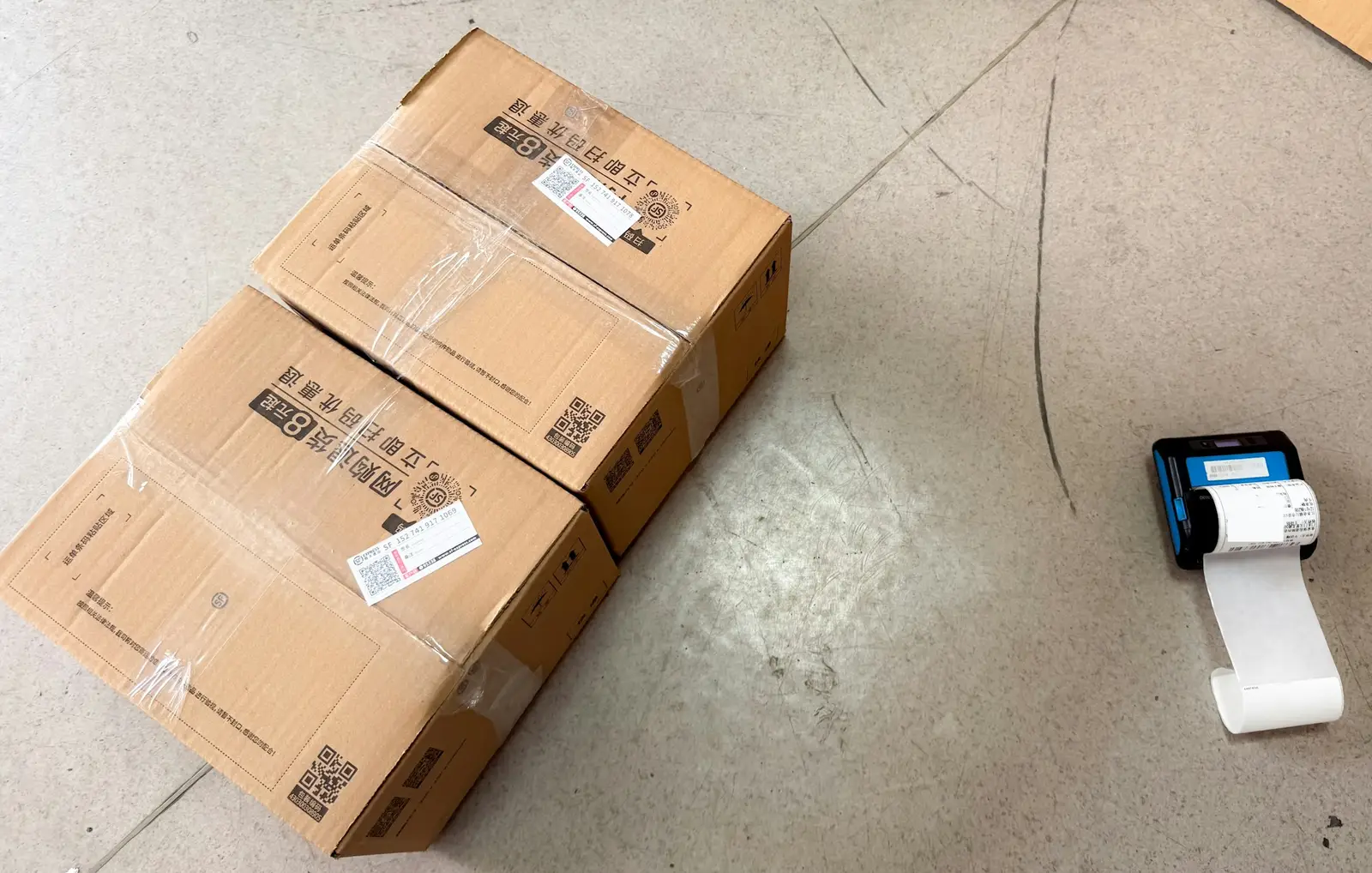 Scanning at every handover is what turns stock counts into real-time data.
Choosing and rolling out a WMS
Decision checklist
- Does it support your units of measure, lot and expiry rules, and serial tracking?
- Does it support the picking strategies you need now and in two years?
- Does it integrate with your ERP and sales channels out of the box or through a documented API?
- Can mobile apps work through short connectivity drops?
- Is there local implementation and support capacity in Kenya or the region?
- How is it licensed: per user, per site, per order volume? Is pricing in USD?
- Where is data hosted, and does that meet your Kenya Data Protection Act obligations for staff and customer data?
Rollout steps
- Map current processes on the floor, not in a meeting room. Watch how goods are actually received and picked.
- Design the location scheme and label every location before go-live.
- Clean master data: SKUs, barcodes, dimensions and units of measure.
- Configure and test with real orders in a pilot zone.
- Run a full stock count immediately before go-live to load accurate opening balances.
- Go live in stages, for example receiving and putaway first, then picking.
- Measure inventory accuracy, pick accuracy and orders shipped per labour hour from week one.
Common mistakes
- Going live with unlabelled or inconsistently labelled locations. The system cannot be more precise than the labels.
- Allowing unscanned moves. "I'll scan it later" is how location accuracy decays.
- Loading dirty master data. Wrong pack sizes or duplicated barcodes create errors in every transaction.
- Underestimating Wi-Fi design. Dead zones behind racking cause failed confirmations and workarounds.
- Treating the WMS as an IT project. Operations managers must own the processes and the targets.
- Ignoring power resilience. Without UPS and generator coverage, every outage creates a backlog of paper notes to re-key.
FAQ
What is the difference between a WMS and inventory management software?
Inventory management software tracks how much stock you have and its value. A WMS also tracks exact locations and manages the tasks that move stock through the warehouse, such as putaway, picking and cycle counting.
Does a small warehouse need a WMS?
If you have more than a few hundred SKUs, multiple staff picking orders or frequent stock discrepancies, a lightweight WMS or the warehouse module of your ERP usually pays off. Very small operations can start with barcode-based inventory tracking, covered in our guide on automating inventory management.
Can a cloud WMS work with unreliable internet?
Yes, with the right design: offline-capable mobile apps, dual internet links with automatic failover and UPS-backed network equipment.
How long does a WMS implementation take?
It depends on scale and integrations. A single-site rollout with a standard ERP integration can take a few months; multi-site or heavily customised projects take longer. Data cleanup and labelling are often the longest tasks.
Does a WMS handle KRA eTIMS invoices?
Usually not directly. eTIMS invoicing typically sits in your ERP or invoicing system, with the WMS supplying shipment confirmations that trigger invoices.
How TechBytes can help
We design warehouse Wi-Fi for racked environments, supply rugged scanners and label printers, and integrate WMS platforms with ERP, e-commerce and eTIMS-compliant invoicing. We can also assess your current processes and data before you select software. Explore our network infrastructure services or browse scanners and printers in our products catalogue.