
Many small businesses in Kenya still manage stock with a counter book, an Excel file and a monthly count that never matches the till. The result is familiar: stockouts on best sellers, dead stock gathering dust, shrinkage that nobody can explain and tax invoices re-typed by hand. This guide lays out a staged path to automating inventory, from barcode labelling to a simple data model, reorder rules and KRA eTIMS integration, so you can pick the level that fits your budget and team.
Key takeaways
- Automation starts with identification. Every product needs a unique SKU and a scannable barcode before any software can help.
- Track stock as a ledger of movements, not as a number you overwrite. That one design decision makes discrepancies traceable.
- Most small businesses should start with an off-the-shelf POS or inventory system that already supports eTIMS, and only build custom software for genuine gaps.
- KRA eTIMS integration happens at the invoicing layer. Understand whether your system uses a certified integrator, an OSCU or a VSCU connection, and test it before relying on it.
- Reorder points, simple demand averages and daily cycle counts deliver most of the value. Advanced forecasting can come later.
Why automate, and what "automation" means at small scale
Automation for a shop, distributor or small manufacturer does not mean robots. It means:
- Capturing stock movements at the moment they happen by scanning, not by writing them down to enter later.
- Updating stock levels automatically when a sale, purchase, transfer or return is recorded.
- Generating alerts and purchase suggestions when items fall below their reorder point.
- Issuing tax-compliant invoices without retyping sales into a separate system.
- Reconciling payments, including M-Pesa and card, against sales.
Each of these removes a manual step where errors and losses creep in.
Stage 1: Identify every item and every location
Assign SKUs
Create a short, consistent SKU for each sellable variant. A pattern like CAT-ITEM-VARIANT (for example BEV-COLA-500ML) is readable and sortable. Avoid embedding prices or supplier names, which change.
Use barcodes
- If products already carry manufacturer EAN-13 barcodes, map them to your SKUs.
- For own-brand or repacked goods, print internal Code 128 or QR labels. If you supply supermarkets, register with GS1 Kenya for retail barcodes.
- Label shelves and bins too, even in a small stockroom. Location labels make counts and picking much faster.
Our barcode vs RFID comparison explains why barcodes are the right starting point for almost every small business.
Hardware
A basic setup needs a USB or Bluetooth barcode scanner at each till (approximately USD 50 to 200 each), a thermal label printer for shelf and product labels, and a rugged handheld or a tablet with a scanner attachment for the stockroom. Put the till, router and server or NAS on a UPS so a power cut does not lose transactions mid-sale.
Small storerooms benefit from the same discipline as large warehouses.
Stage 2: Choose the system
There are three realistic routes:
| Route | Examples | Good for | Watch out for |
|---|---|---|---|
| POS with inventory | Many retail POS systems sold locally and internationally | Single shop or small chain, mostly counter sales | Check eTIMS support, offline mode, multi-branch transfers |
| Cloud ERP or inventory app | Odoo, Zoho Inventory, QuickBooks Online with inventory, Sage, ERPNext | Distributors, multi-channel sellers, light manufacturing | Licence costs in USD, implementation effort, local support |
| Custom-built system | In-house or agency-built | Unusual workflows, deep integration with an existing platform | Build and maintenance cost, eTIMS certification path, key-person risk |
For most small businesses, the first two routes are best. Custom software makes sense when your workflow is genuinely different or when you need to integrate stock with a bespoke e-commerce or field sales app.
Stage 3: Get the data model right
Whether you buy or build, understanding the underlying data model helps you configure systems correctly and spot problems. The essential idea: stock on hand is derived from a ledger of movements. You never simply overwrite a quantity.
A minimal schema
The following PostgreSQL schema captures the essentials for a small, multi-location business.
CREATE TABLE product (
    id              BIGSERIAL PRIMARY KEY,
    sku             TEXT NOT NULL UNIQUE,
    name            TEXT NOT NULL,
    barcode         TEXT UNIQUE,
    unit            TEXT NOT NULL DEFAULT 'EA',        -- each, carton, kg
    tax_code        TEXT NOT NULL,                     -- maps to eTIMS tax type
    item_class_code TEXT,                              -- eTIMS item classification
    reorder_point   NUMERIC(12,3) NOT NULL DEFAULT 0,
    reorder_qty     NUMERIC(12,3) NOT NULL DEFAULT 0,
    active          BOOLEAN NOT NULL DEFAULT TRUE
);

CREATE TABLE location (
    id    BIGSERIAL PRIMARY KEY,
    code  TEXT NOT NULL UNIQUE,                        -- e.g. 'SHOP-NBO', 'STORE-A-01'
    name  TEXT NOT NULL
);

CREATE TYPE movement_type AS ENUM
    ('RECEIPT', 'SALE', 'RETURN', 'TRANSFER_OUT', 'TRANSFER_IN', 'ADJUSTMENT', 'COUNT');

CREATE TABLE stock_movement (
    id           BIGSERIAL PRIMARY KEY,
    product_id   BIGINT NOT NULL REFERENCES product(id),
    location_id  BIGINT NOT NULL REFERENCES location(id),
    type         movement_type NOT NULL,
    qty          NUMERIC(12,3) NOT NULL,               -- positive in, negative out
    unit_cost    NUMERIC(14,2),
    reference    TEXT,                                 -- invoice no., PO no., M-Pesa receipt
    created_by   TEXT NOT NULL,
    created_at   TIMESTAMPTZ NOT NULL DEFAULT now()
);

CREATE INDEX ON stock_movement (product_id, location_id);

-- Current stock is always derived, never typed in.
CREATE VIEW stock_on_hand AS
SELECT p.sku, p.name, l.code AS location, SUM(m.qty) AS qty_on_hand
FROM stock_movement m
JOIN product  p ON p.id = m.product_id
JOIN location l ON l.id = m.location_id
GROUP BY p.sku, p.name, l.code;

-- Items at or below their reorder point, summed across locations.
CREATE VIEW reorder_suggestions AS
SELECT p.sku, p.name, COALESCE(SUM(m.qty), 0) AS qty_on_hand,
       p.reorder_point, p.reorder_qty
FROM product p
LEFT JOIN stock_movement m ON m.product_id = p.id
WHERE p.active
GROUP BY p.id
HAVING COALESCE(SUM(m.qty), 0) <= p.reorder_point;
Why this design works:
- Auditability. Every change has a type, a user, a time and a reference. When a count finds a shortage, you can see exactly which movements led there.
- Counts are just movements. A stock count posts an
ADJUSTMENTfor the difference, so the history is preserved. - Transfers are two movements, out of one location and into another, so stock in transit is visible.
- Tax fields live on the product. eTIMS requires correct tax types and item classification on invoices, so capturing them in master data avoids errors at sale time.
At larger volumes you would add a cached balance table updated by triggers or the application, but the ledger remains the source of truth.
Stage 4: Automate replenishment
Set reorder points
A simple, effective formula for each item:
reorder_point = (average daily sales x supplier lead time in days) + safety stock
Safety stock covers variability. Start with a few days of average sales for reliable local suppliers and more for imported goods, where shipping and port clearance at Mombasa can add unpredictable delays.
Generate purchase suggestions
Run the reorder_suggestions query, or use your system's equivalent, every morning. Group the output by supplier and turn it into draft purchase orders that a manager approves. Approval keeps a human in control of cash while removing the manual hunt through shelves.
Review classifications quarterly
Classify items as A, B or C by sales value. Count A items weekly, B monthly and C quarterly. This catches errors where they matter most without shutting the shop for a full stocktake.
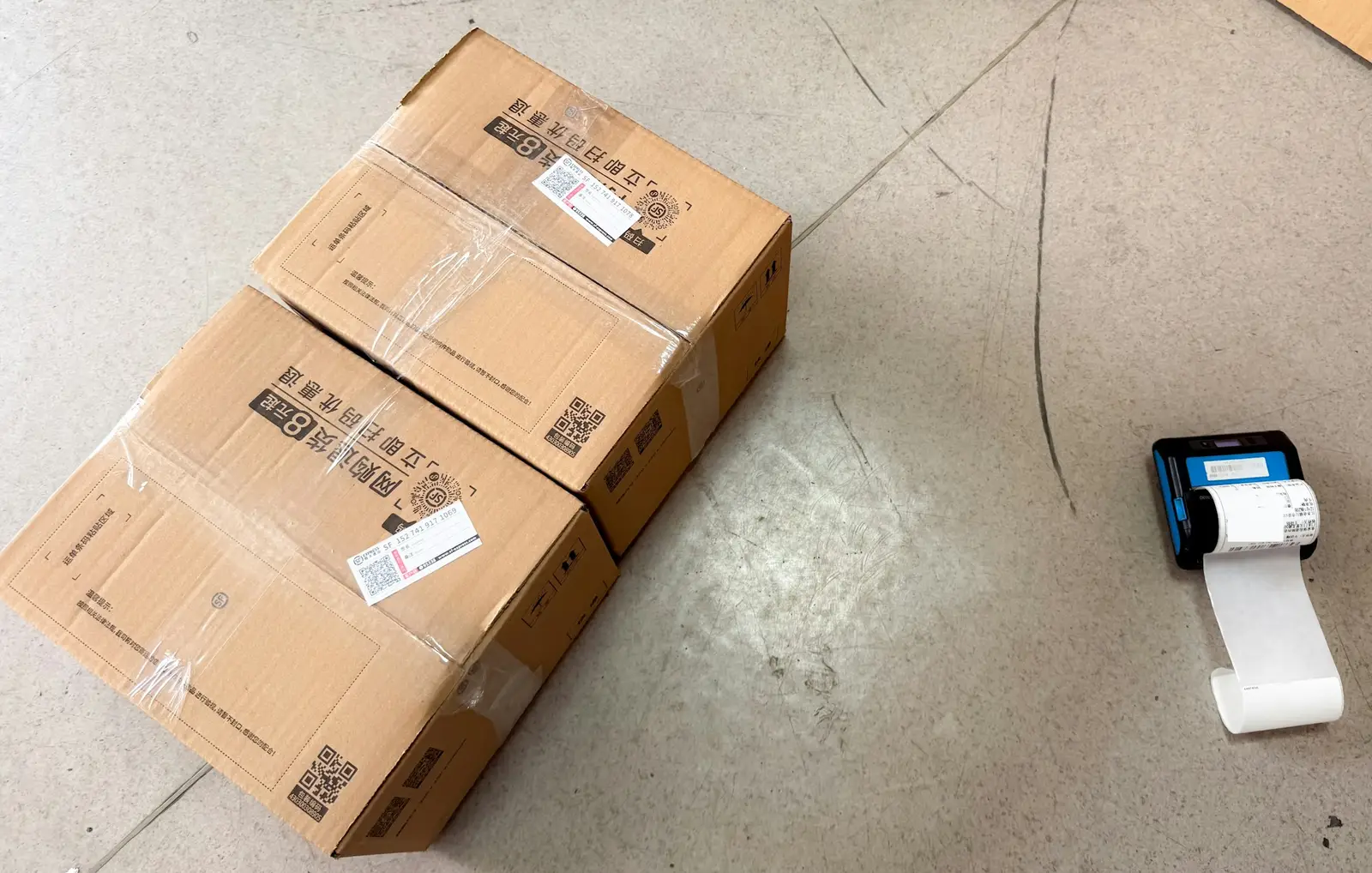 Scanning at every handover is what turns stock counts into real-time data.
Stage 5: Connect sales and payments
Stock accuracy depends on every sale being recorded against the right SKU.
- POS sales should decrement stock automatically.
- Online orders from Shopify, WooCommerce or a custom site should sync to the same inventory, ideally in near real time, to avoid selling stock you do not have.
- M-Pesa payments received via a Till or Paybill can be matched to sales using Safaricom's Daraja APIs, which provide payment confirmations your system can reconcile against invoices. See developer.safaricom.co.ke for the current API documentation.
- Field sales on a mobile app should work offline and sync when connectivity returns, because rural routes often have weak coverage.
Stage 6: KRA eTIMS integration considerations
KRA's electronic Tax Invoice Management System (eTIMS) requires businesses to issue tax invoices that are transmitted to KRA. Since the Finance Act 2023, the requirement has extended beyond VAT-registered businesses, and expenses not supported by valid eTIMS invoices may be disallowed for income tax purposes. Rules have evolved since launch, so confirm current obligations on the KRA website or with your tax adviser.
Integration options
KRA offers several ways to comply, broadly:
- eTIMS client or web portal options and eTIMS Lite for low-volume businesses that issue invoices manually.
- System-to-system integration for businesses whose POS or ERP issues invoices directly. KRA has offered two main integration models: the Online Sales Control Unit (OSCU), suited to businesses with reliable connectivity and moderate volumes, and the Virtual Sales Control Unit (VSCU), suited to high-volume systems that need to keep invoicing through connectivity interruptions.
- Third-party integrators certified by KRA, who connect your existing software to eTIMS.
What to check in any system you buy or build
- Certification path. Is the vendor or integrator approved by KRA for eTIMS integration, and is the integration live for your business type?
- Master data mapping. Every product needs the correct tax type and item classification code; errors here cause rejected or incorrect invoices.
- Offline behaviour. What happens when the internet drops? Can invoices queue and transmit later without breaking compliance?
- Credit notes and returns. Returns must produce valid credit notes linked to the original invoice, and stock must return to inventory.
- Purchase invoices. Can the system receive supplier eTIMS invoices so purchases and input VAT reconcile automatically?
- Audit trail. Store the eTIMS response (such as invoice signatures or control numbers) against each sale record.
A simple integration flow looks like this:
POS / ERP sale confirmed
   -> build invoice (items, tax codes, customer PIN if B2B)
   -> submit to eTIMS via OSCU/VSCU or integrator API
   -> receive KRA response (invoice data, signature/QR)
   -> print or send receipt with KRA details
   -> post SALE stock movements with invoice reference
   -> if submission fails: queue, retry, alert supervisor
Posting stock movements only after a successful or queued invoice keeps tax records and stock in step.
Common mistakes
- Overwriting quantities. Typing a new stock figure destroys the history you need to investigate losses.
- Skipping location labels. Without them, counts and picking stay slow, even with item barcodes.
- Buying software before cleaning data. Duplicated items, inconsistent units and missing tax codes cause problems in every module.
- Ignoring offline operation. Power cuts and internet outages are routine. Choose systems that keep selling and sync later, and protect equipment with a UPS.
- Treating eTIMS as an afterthought. Retrofitting tax compliance is harder than choosing a system that supports it from the start.
- No one owns the process. Assign a person responsible for stock accuracy and review discrepancies weekly.
FAQ
What is the cheapest way to start automating inventory?
Label products and shelves with barcodes, buy a basic scanner and use a POS or cloud inventory app that already supports eTIMS. The hardware cost is modest and the accuracy gains come quickly.
Do I need a custom system for eTIMS compliance?
Usually not. Many POS and ERP products, as well as KRA-certified integrators, support eTIMS. Custom development is worth it only when your workflow cannot be handled by existing tools.
What is the difference between OSCU and VSCU?
Both are KRA system-to-system integration models. Broadly, OSCU suits businesses with reliable connectivity and moderate invoice volumes, while VSCU suits high-volume systems and those that need to continue invoicing during connectivity interruptions. Confirm current specifications with KRA.
How often should a small business count stock?
Use cycle counts: high-value or fast-moving items weekly, others monthly or quarterly. This is more accurate and less disruptive than a single annual stocktake.
Can my online shop and physical shop share the same inventory?
Yes, and they should. Connect your e-commerce platform to the same inventory system so a sale in either channel updates stock immediately.
How TechBytes can help
We help small businesses choose and configure inventory and POS systems, clean up product data, set up barcode labelling and connect sales channels, M-Pesa and eTIMS. Where off-the-shelf tools fall short, we build focused integrations rather than full custom systems. Talk to our AI and automation team, or request a quote for scanners, label printers and a site visit. For larger operations, see how warehouse management systems work.