Most smart home projects in East Africa fail for boring reasons: the hub goes offline when the power drops, the brand has no local distributor, or three different apps refuse to talk to each other. The technology has matured a great deal since Matter arrived, but choosing well still depends on your power situation, your internet link and what you can get repaired in Nairobi, Kampala or Dar es Salaam. This guide walks through the protocols, devices and power architecture worth considering in 2026, so you can specify a system that keeps working when KPLC does not.
Key takeaways
- Matter is now the sensible default for new device purchases because it reduces lock-in, but it is a standard for the application layer, not a magic fix for weak radio coverage.
- Thread is the best low-power mesh for battery sensors in new builds; Zigbee remains a mature, inexpensive and widely stocked alternative.
- Power design matters more than device choice. Put the router, ONT, hub and border routers on a UPS or inverter circuit, or the "smart" home becomes dumb at every outage.
- Prefer devices that keep working locally without the cloud. International links and LTE last-mile connections do drop.
- Buy from distributors who can honour warranty locally and confirm Communications Authority of Kenya type approval for radio equipment.
The 2026 smart home stack in one picture
Before comparing products, it helps to think in layers. A resilient home or small office installation looks roughly like this:
 [Internet: fibre ONT or LTE/5G router]
              |
       [Main router / firewall]  <-- on UPS or inverter circuit
        |            |            |
   [Trusted LAN]  [IoT VLAN]   [Guest Wi-Fi]
                     |
        +------------+--------------+
        |            |              |
 [Thread border  [Zigbee         [Wi-Fi devices:
  router(s)]      coordinator]    cameras, plugs]
        |            |
 [Thread sensors, [Zigbee sensors,
  locks, buttons]  relays, bulbs]
        \            /
     [Local automation controller: Home Assistant,
      hub or Matter controller - runs rules on-site]
The key design principle is that automations should run on a local controller inside the house, and the cloud should be an optional convenience for remote access and notifications. If the international fibre link has a bad day or the LTE router loses signal, lights, locks and alarms should still behave.
Connected devices add convenience, and a new set of security responsibilities.
Protocols worth knowing
Matter
Matter is an application-layer standard maintained by the Connectivity Standards Alliance (CSA), with backing from Apple, Google, Amazon, Samsung and most major device makers. It defines how a light, lock, thermostat or sensor describes itself and how controllers command it. Matter runs over IP: on Wi-Fi, Ethernet or Thread, with Bluetooth Low Energy used during setup (commissioning).
What Matter gives you:
- Multi-admin: one device can be controlled from more than one ecosystem at once, for example Apple Home and Google Home, or Home Assistant alongside a vendor app.
- Local control: Matter commands travel over the local network, so basic control does not depend on the vendor's cloud.
- Security by design: devices carry attestation certificates and are commissioned with a setup code, which is a step up from the "default password" era.
What Matter does not give you: guaranteed feature parity. Device types are added release by release, and vendors often expose advanced features only in their own app. Check that the specific device type you need (for example, energy monitoring, window coverings or robot vacuums) is supported by both the device and your chosen controller.
Thread
Thread is a low-power IPv6 mesh network built on IEEE 802.15.4 radios in the 2.4 GHz band. Mains-powered Thread devices act as routers, so the mesh gets stronger as you add plugs and switches. A Thread border router connects the mesh to your Wi-Fi/Ethernet LAN. Many smart speakers, streaming boxes and hubs now include a border router, and you can run more than one for redundancy.
Thread is the strongest choice for battery-powered sensors and locks in a new installation, because it combines low power use with native IP addressing and Matter compatibility.
Zigbee
Zigbee uses the same 802.15.4 radio as Thread but a different network stack. Zigbee 3.0 is mature, well understood and widely stocked by importers and online retailers in the region. A USB Zigbee coordinator on a local controller such as Home Assistant can manage a large network of inexpensive sensors and relays. The main downside is that Zigbee devices are not Matter devices; you need a hub or bridge to expose them to Matter ecosystems.
For many Kenyan homes and offices, Zigbee remains the most cost-effective way to get door, motion, temperature and leak sensors deployed today.
Wi-Fi
Wi-Fi is the natural fit for high-bandwidth devices (cameras, video doorbells, displays) and for mains-powered plugs where you already have good coverage. Wi-Fi 6 and Wi-Fi 6E access points handle many clients better than older routers, and Wi-Fi 7 equipment is entering the market. The trade-offs are power consumption (poor for battery sensors) and the burden that dozens of IoT clients put on consumer routers, especially ISP-supplied units.
Comparison at a glance
| Technology | Best for | Power profile | Mesh | Matter-native | Local availability in East Africa (indicative) |
|---|---|---|---|---|---|
| Matter over Thread | Sensors, locks, switches in new builds | Very low | Yes | Yes | Growing; often imported, check stock |
| Matter over Wi-Fi | Plugs, lights, appliances | High | No | Yes | Moderate, mostly via online retail |
| Zigbee 3.0 | Low-cost sensors and relays | Very low | Yes | Via bridge | Good; widely stocked |
| Wi-Fi (proprietary apps) | Cameras, doorbells, budget plugs | High | No | Usually no | Very good |
| Z-Wave | Legacy and premium installs | Low | Yes | Via bridge | Limited; confirm regional frequency variant |
| Wired (KNX, Ethernet, RS-485) | High-end builds, offices, estates | N/A | N/A | Via gateway | Available through specialist integrators |
Availability changes quickly. Treat the last column as a starting point and confirm with suppliers at the time of purchase.
Power backup realities
Grid outages and voltage fluctuations are a normal part of life across much of East Africa. A smart home that has not been designed for them will lose its network, drop its automations and, in the worst case, damage electronics.
Protect the "network spine" first
The spine is everything automations depend on: the fibre ONT or LTE router, the main router, any PoE switch, the local controller and the Thread border routers or Zigbee coordinator. These devices together typically draw tens of watts, not hundreds, so a modest line-interactive or online UPS can carry them for hours. Check actual consumption with a plug-in meter rather than relying on nameplate ratings.
Practical points:
- Use a dedicated UPS or DC mini-UPS for the ONT and router. Fibre providers in Nairobi usually install the ONT indoors on a standard socket; plug it into protected power.
- Put PoE cameras on a PoE switch that sits on the UPS. This keeps CCTV recording through outages, which is often when you need it most.
- Add surge protection. Voltage spikes when power returns are a common cause of failed adapters and routers.
- Test it. Switch off the main breaker for 30 minutes and see what actually stays up.
Inverter and solar integration
Hybrid solar inverters with lithium iron phosphate (LiFePO4) batteries have become a common upgrade for homes and SMEs, driven by outages and tariff costs. From a smart home perspective, three things matter:
- Changeover behaviour. Some inverters have a brief transfer time when switching between grid and battery. Sensitive network gear should sit behind a UPS or on the inverter's uninterrupted output, not on a circuit that briefly drops.
- Monitoring integration. Many inverters expose data via a Wi-Fi dongle and vendor cloud, some via Modbus (RS-485 or TCP) for local polling. Local Modbus access lets a controller such as Home Assistant read battery state of charge and trigger load-shedding automations without relying on an overseas cloud. Confirm the protocol before you buy.
- Load-shedding automations. With battery state visible, you can switch off water heaters, pumps or air conditioning when charge drops below a threshold, and turn them back on when the grid returns or the sun is strong.
Recent Matter releases have been adding energy-related device types (for example, energy reporting and device energy management), and support for solar and battery systems is evolving. At the time of writing, assume most inverters will integrate through vendor apps or Modbus rather than Matter, and verify any Matter energy claims against the product's certification listing.
Prepaid meters and water
Many Kenyan households and businesses use Kenya Power prepaid token meters. Pairing a separate energy monitor (a CT clamp sensor on the incoming supply) with your controller gives you visibility of consumption so you can see how fast units are being used. Leak sensors and smart valves on water tanks and boreholes are another high-value, low-cost automation in areas with intermittent municipal supply.
Connectivity: fibre versus LTE
Your last-mile link shapes what is realistic:
- Fibre (Safaricom, Zuku, Faiba, Liquid and others in covered estates) gives stable latency for remote camera viewing and cloud integrations.
- LTE/5G home routers are common outside fibre footprints. They work, but can suffer from carrier-grade NAT, which breaks inbound port forwarding. This is actually a nudge towards safer remote access methods such as vendor relay services or a VPN overlay, rather than exposing devices directly.
- Dual-WAN routers with fibre as primary and LTE as failover are affordable and remove a major single point of failure for security systems.
Either way, design for local-first operation. Cloud-dependent devices that route every command through a server in Europe or the US add latency and stop working during international outages.
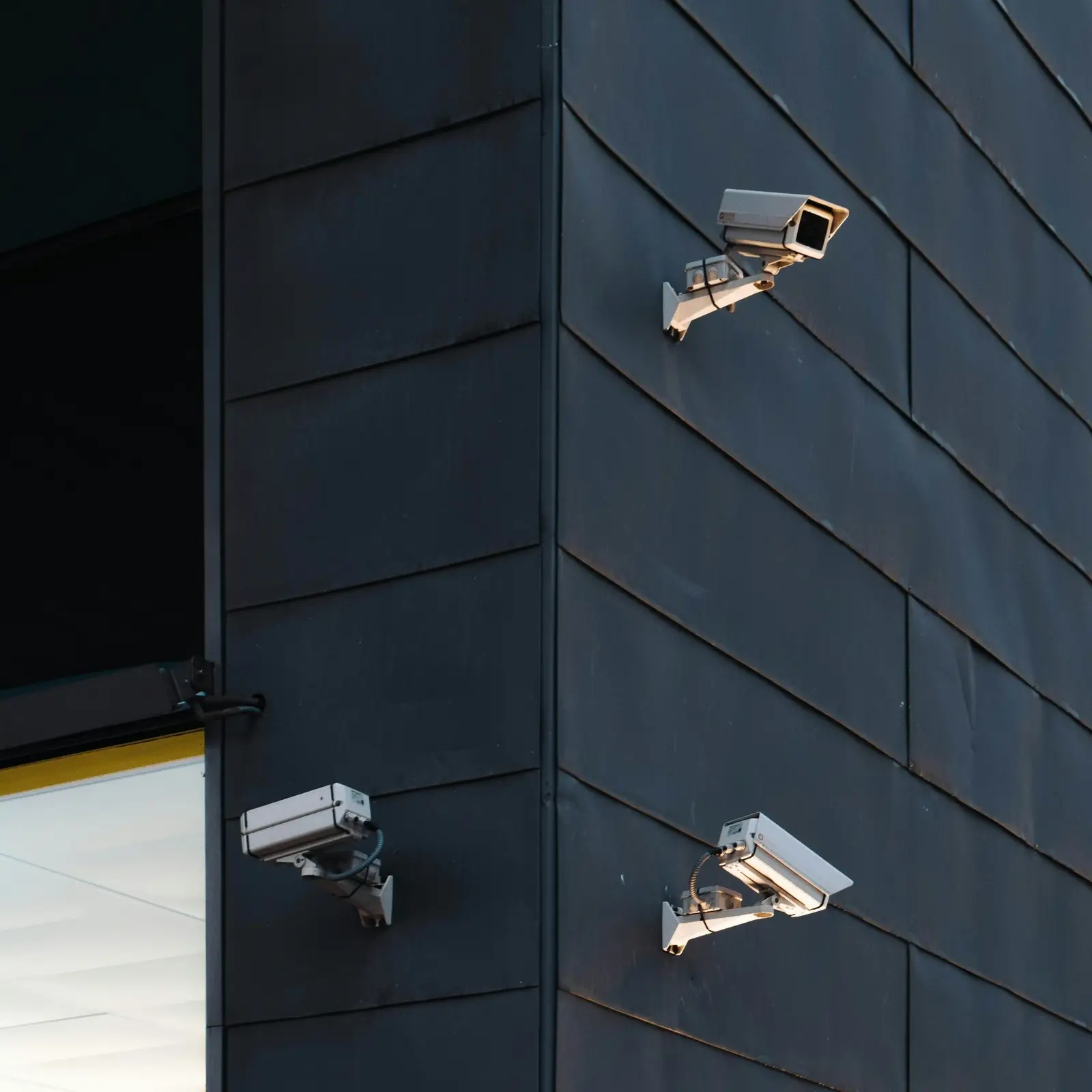 Cameras and sensors belong on their own network segment, away from laptops and phones.
What is actually available and serviceable in Kenya
This is the part that brochures skip. A good technology choice is one you can buy, install, configure and get repaired locally.
- Mainstream ecosystems. Google, Amazon and Apple devices are sold through importers and online retailers, but some voice assistant features and services are limited or unavailable in Kenyan regions and languages. Check what works with a local account before standardising on one assistant.
- Budget Wi-Fi and Zigbee devices. Brands sold widely through local electronics shops and online marketplaces are affordable and plentiful. Quality varies, and many depend entirely on a vendor cloud. Favour products that are known to work locally with open platforms, or that support Matter.
- Security and CCTV. Major CCTV brands have established distributors and installers in Nairobi and other cities, so spares and firmware support are easier to obtain. That ecosystem is mature, but default configurations need hardening (see our guide to smart home security risks).
- Professional systems. KNX and other wired building automation systems are available through specialist integrators, typically for high-end residences, hotels and offices. They cost more upfront but are very robust and serviceable over decades.
- Type approval. Radio equipment sold in Kenya is subject to type approval by the Communications Authority of Kenya. Buying from established local distributors usually covers this; grey imports may not.
Pricing moves with exchange rates and import duty, so get current quotations. As a rough planning rule, budget separately for the network spine and power protection, which many people underestimate, and for the devices themselves.
A decision checklist before you buy
Use this list when specifying a home, apartment block or small office:
- Does each device work locally if the internet is down?
- Is it Matter-certified, or supported by your chosen local controller?
- Is there a local distributor who will handle warranty claims?
- Are the router, ONT, controller and border routers on protected power?
- Is there a separate network (VLAN or SSID) for IoT devices?
- Can the vendor app be avoided for daily use, or is it mandatory?
- Does the product get firmware updates, and how are they delivered?
- For cameras and alarms, where is footage stored, and does that meet your obligations under the Kenya Data Protection Act 2019?
- Can the inverter or solar system be monitored locally (Modbus or local API)?
Common mistakes
- Buying devices before designing the network. Twenty Wi-Fi plugs on an ISP-supplied router is a recipe for dropouts.
- Mixing too many ecosystems. Three apps, three clouds and three sets of credentials make troubleshooting painful. Pick one controller and add devices that integrate with it.
- Ignoring power. If the hub is on an unprotected socket, every outage reboots your automations and may corrupt storage on cheap controllers. Use quality SD cards or, better, SSD-based controllers.
- Relying on cloud-only automations. Rules that execute in a vendor's overseas cloud will fail when connectivity does.
- Placing Thread or Zigbee coordinators badly. Metal cabinets, concrete walls and proximity to Wi-Fi routers on overlapping channels all reduce range. Plan channels so 2.4 GHz Wi-Fi and 802.15.4 networks do not collide.
- Not documenting anything. Record device locations, network addresses, admin credentials (in a password manager) and the installer's contact details.
FAQ
Is Matter worth waiting for, or should I buy Zigbee now?
If you need sensors today on a tight budget, Zigbee is proven and well stocked. Run it through a local controller that can also act as a Matter bridge so you are not locked in. For new purchases where Matter-certified options exist at a similar price, prefer Matter over Thread or Wi-Fi.
Will my smart home work during a blackout?
Only the parts on protected power. Put the router, ONT, controller and border routers on a UPS or the inverter's backup output. Battery sensors keep running, but they need a powered network to report to.
Can I use an LTE router instead of fibre?
Yes. Local-first automations will run regardless. Remote access and cloud features depend on connection quality, and carrier-grade NAT may block inbound connections, so use vendor relay services or a VPN overlay rather than port forwarding.
Do I need a professional installer?
For a few plugs and sensors, no. For whole-home wiring, CCTV, access control, solar integration or anything in a multi-unit building, a professional design saves money over time, especially for cabling, power and network segmentation.
How TechBytes can help
We design smart home and small building systems from the network and power layer upwards: segmented networks, protected power for the network spine, and local-first automation controllers that survive outages. We can also review an existing installation, document it and harden it. If you are planning a new build or retrofit, start with our network infrastructure services, or request a quote for a site survey.