Most "build an agent" tutorials either hide the important parts behind a framework or stop at a toy that cannot be trusted with real data. This guide builds a small but genuine agent in plain Python: a sales assistant for a hardware distributor that checks warehouse stock and drafts quotes with Kenyan VAT applied. You will see the whole loop, then add the guardrails, evaluations and cost controls that separate a demo from something you can put in front of your sales team.
Key takeaways
- An agent is a loop: call the model with tool definitions, execute any tool calls it requests, return the results, and repeat until it gives a final answer or hits a limit.
- Keep business rules such as maximum discount, VAT rate and approval thresholds in code, never only in the prompt.
- Tools should be narrow, validated and side-effect safe. A tool that creates a draft quote is far safer than one that sends an invoice.
- Build an evaluation set of real requests before you tune prompts, and rerun it on every change.
- Control cost with step limits, token accounting, model choice and prompt caching, and measure cost per completed task in KES.
What we are building
The agent handles requests such as: "Quote 30 business laptops and 30 docking stations for Acme Logistics in Mombasa, 5 percent discount." To do that it needs two tools:
check_stock: returns the price and per-warehouse stock for a product SKU.create_quote: validates the lines, applies a discount within policy, adds 16 percent VAT and saves a draft quote for a salesperson to approve.
The flow looks like this:
User request
    |
    v
[LLM] -- tool_use: check_stock(LAP-14-I5) --> [Python: inventory lookup]
  ^                                                   |
  +------------- tool_result: price, stock -----------+
  |
[LLM] -- tool_use: create_quote(...) ------> [Python: validate, VAT, save draft]
  ^                                                   |
  +------------- tool_result: quote_id, total --------+
  |
[LLM] --> final answer: summary for the salesperson
 Successful AI projects pair a technical team with the people who own the process.
Prerequisites
- Python 3.10 or later.
- An API key for a model provider. We use Anthropic's Python SDK below; the same loop applies to any provider that supports tool calling, with different method names.
- Install the SDK and set your key:
python -m venv .venv
source .venv/bin/activate      # On Windows: .venv\Scripts\activate
pip install anthropic
export ANTHROPIC_API_KEY="your-key-here"   # On Windows PowerShell: $env:ANTHROPIC_API_KEY="your-key-here"
Step 1: Define the business logic as plain functions
Start with ordinary, testable Python. The model will never see this code, only the tool descriptions.
# tools.py
import uuid

VAT_RATE = 0.16          # Kenya standard VAT rate
MAX_DISCOUNT_PCT = 10.0  # Policy: anything higher needs a manager
MAX_LINES = 20

INVENTORY = {
    "LAP-14-I5": {"name": "14-inch business laptop, Core i5, 16 GB RAM",
                  "unit_price_kes": 98_000, "stock": {"nairobi": 25, "mombasa": 6}},
    "DOCK-USBC": {"name": "USB-C docking station",
                  "unit_price_kes": 14_500, "stock": {"nairobi": 60, "mombasa": 0}},
    "UPS-1500":  {"name": "1500 VA line-interactive UPS",
                  "unit_price_kes": 32_000, "stock": {"nairobi": 12, "mombasa": 4}},
}

DRAFT_QUOTES: dict[str, dict] = {}


class ToolError(Exception):
    """An error the model should see and can recover from."""


def check_stock(sku: str) -> dict:
    item = INVENTORY.get(sku.strip().upper())
    if item is None:
        raise ToolError(f"Unknown SKU '{sku}'. Valid SKUs: {', '.join(INVENTORY)}")
    return {"sku": sku.upper(), "name": item["name"],
            "unit_price_kes": item["unit_price_kes"], "stock": item["stock"]}


def create_quote(customer_name: str, lines: list[dict], discount_pct: float) -> dict:
    if not customer_name.strip():
        raise ToolError("customer_name is required.")
    if not 1 <= len(lines) <= MAX_LINES:
        raise ToolError(f"A quote needs between 1 and {MAX_LINES} lines.")
    if not 0 <= discount_pct <= MAX_DISCOUNT_PCT:
        raise ToolError(f"Discount must be between 0 and {MAX_DISCOUNT_PCT}%. "
                        "Higher discounts require manager approval.")

    priced_lines, subtotal = [], 0
    for line in lines:
        sku, qty = line["sku"].strip().upper(), int(line["quantity"])
        if sku not in INVENTORY:
            raise ToolError(f"Unknown SKU '{sku}'.")
        if qty <= 0:
            raise ToolError(f"Quantity for {sku} must be positive.")
        unit = INVENTORY[sku]["unit_price_kes"]
        priced_lines.append({"sku": sku, "quantity": qty, "unit_price_kes": unit,
                             "line_total_kes": unit * qty})
        subtotal += unit * qty

    discount = round(subtotal * discount_pct / 100, 2)
    net = subtotal - discount
    vat = round(net * VAT_RATE, 2)
    quote_id = f"Q-{uuid.uuid4().hex[:8].upper()}"
    quote = {"quote_id": quote_id, "status": "draft_pending_approval",
             "customer_name": customer_name, "lines": priced_lines,
             "subtotal_kes": subtotal, "discount_kes": discount,
             "vat_kes": vat, "total_kes": round(net + vat, 2)}
    DRAFT_QUOTES[quote_id] = quote
    return quote
Notice that the discount cap, VAT rate and line limit live here. Even if a prompt injection convinces the model to offer 40 percent off, create_quote refuses.
Step 2: Describe the tools for the model
The descriptions are written for the model, so be explicit about when to use each tool and what it returns. Setting strict: True asks the API to guarantee that tool inputs match the schema.
# agent.py (part 1)
import json
import anthropic
from tools import check_stock, create_quote, ToolError

TOOLS = [
    {
        "name": "check_stock",
        "description": ("Look up price (KES, excluding VAT) and stock per warehouse "
                        "for one product SKU. Call this before quoting any product."),
        "strict": True,
        "input_schema": {
            "type": "object",
            "properties": {"sku": {"type": "string", "description": "Product SKU, e.g. LAP-14-I5"}},
            "required": ["sku"],
            "additionalProperties": False,
        },
    },
    {
        "name": "create_quote",
        "description": ("Create a DRAFT quote for a salesperson to approve. Applies the "
                        "discount and 16% VAT. Discounts above 10% are rejected. "
                        "Returns the quote ID and totals."),
        "strict": True,
        "input_schema": {
            "type": "object",
            "properties": {
                "customer_name": {"type": "string"},
                "lines": {
                    "type": "array",
                    "items": {
                        "type": "object",
                        "properties": {"sku": {"type": "string"},
                                       "quantity": {"type": "integer"}},
                        "required": ["sku", "quantity"],
                        "additionalProperties": False,
                    },
                },
                "discount_pct": {"type": "number", "description": "0 if no discount requested"},
            },
            "required": ["customer_name", "lines", "discount_pct"],
            "additionalProperties": False,
        },
    },
]

TOOL_FUNCTIONS = {"check_stock": check_stock, "create_quote": create_quote}

SYSTEM_PROMPT = """You are a sales assistant for a hardware distributor in Kenya.
Check stock for every product before quoting. If the requested quantity exceeds
stock in the customer's nearest warehouse, say so and state what is available elsewhere.
Never invent prices or SKUs. If a request is outside policy, explain the policy and
suggest escalating to a sales manager. End with a short summary a salesperson can
review: quote ID, totals in KES and any stock caveats."""
Step 3: Write the agent loop
This is the heart of every agent. The model either answers or requests tool calls; we run them, return the results and loop, with a hard step limit and token accounting.
# agent.py (part 2)
client = anthropic.Anthropic()
MODEL = "claude-opus-5-5"
MAX_STEPS = 8


def execute_tool(name: str, tool_input: dict) -> tuple[str, bool]:
    func = TOOL_FUNCTIONS.get(name)
    if func is None:
        return f"Unknown tool '{name}'.", True
    try:
        return json.dumps(func(**tool_input)), False
    except ToolError as exc:          # expected, recoverable: show the model
        return str(exc), True
    except Exception:                 # unexpected: log it, keep details private
        return "Internal error while running this tool. Escalate to a human.", True


def run_agent(request: str) -> str:
    messages = [{"role": "user", "content": request}]
    usage = {"input": 0, "output": 0}

    for step in range(1, MAX_STEPS + 1):
        response = client.messages.create(
            model=MODEL,
            max_tokens=4096,
            system=SYSTEM_PROMPT,
            tools=TOOLS,
            messages=messages,
        )
        usage["input"] += response.usage.input_tokens
        usage["output"] += response.usage.output_tokens
        print(f"step {step}: stop_reason={response.stop_reason} usage={usage}")

        if response.stop_reason == "refusal":
            return "The model declined this request. Escalating to a human."
        if response.stop_reason == "max_tokens":
            return "Response was cut off. Escalating to a human."

        messages.append({"role": "assistant", "content": response.content})

        if response.stop_reason != "tool_use":
            return "".join(b.text for b in response.content if b.type == "text")

        tool_results = []
        for block in response.content:
            if block.type == "tool_use":
                content, is_error = execute_tool(block.name, block.input)
                print(f"  -> {block.name}({block.input}) error={is_error}")
                tool_results.append({"type": "tool_result", "tool_use_id": block.id,
                                     "content": content, "is_error": is_error})
        # All results from one turn go back together in a single user message.
        messages.append({"role": "user", "content": tool_results})

    return f"Stopped after {MAX_STEPS} steps without finishing. Escalating to a human."


if __name__ == "__main__":
    print(run_agent("Quote 30 LAP-14-I5 laptops and 30 DOCK-USBC docks for "
                    "Acme Logistics in Mombasa with a 5% discount."))
Run it with python agent.py. You should see the agent call check_stock for both SKUs, notice that Mombasa has only 6 laptops and no docks, create the draft quote, and summarise with a stock caveat pointing to the Nairobi warehouse. Try asking for a 25 percent discount and watch create_quote reject it and the agent explain the policy.
A few details matter more than they look:
- The full
response.contentis appended, not just the text, so tool calls and their IDs stay paired with their results. - Errors are returned to the model with
is_error: True, which lets it correct a mistyped SKU instead of crashing. - Unexpected exceptions are not echoed, so stack traces and internal details do not leak into model context or user output.
- The step limit is enforced in code. An agent without a ceiling can loop expensively when something goes wrong.
The explicit loop is shown here for learning. In production you might use the SDK's tool runner helper or a managed agent service to reduce boilerplate, but the concepts are identical.
Step 4: Add guardrails
Guardrails are layered. No single one is sufficient.
| Layer | What it does | Example in this agent |
|---|---|---|
| Tool scope | Limits what is possible at all | Agent can create drafts only; it cannot send or approve quotes |
| Input validation | Rejects bad arguments in code | Discount cap, SKU whitelist, line limit |
| Approval gates | Human signs off consequential actions | Quote status is draft_pending_approval |
| Step and budget limits | Stops runaway loops | MAX_STEPS = 8, token accounting |
| Untrusted-content handling | Defends against prompt injection | Customer emails passed as data, never merged into the system prompt |
| Audit logging | Makes incidents investigable | Log every request, tool call, argument and result with a correlation ID |
| Data minimisation | Reduces privacy exposure | Send customer name and SKUs, not phone numbers or KRA PINs |
For anything that moves money, such as initiating an M-Pesa B2B payment through the Daraja API, add a hard approval step outside the agent and enforce amount limits in the payment service itself. Review the OWASP Top 10 for LLM applications for a structured threat list.
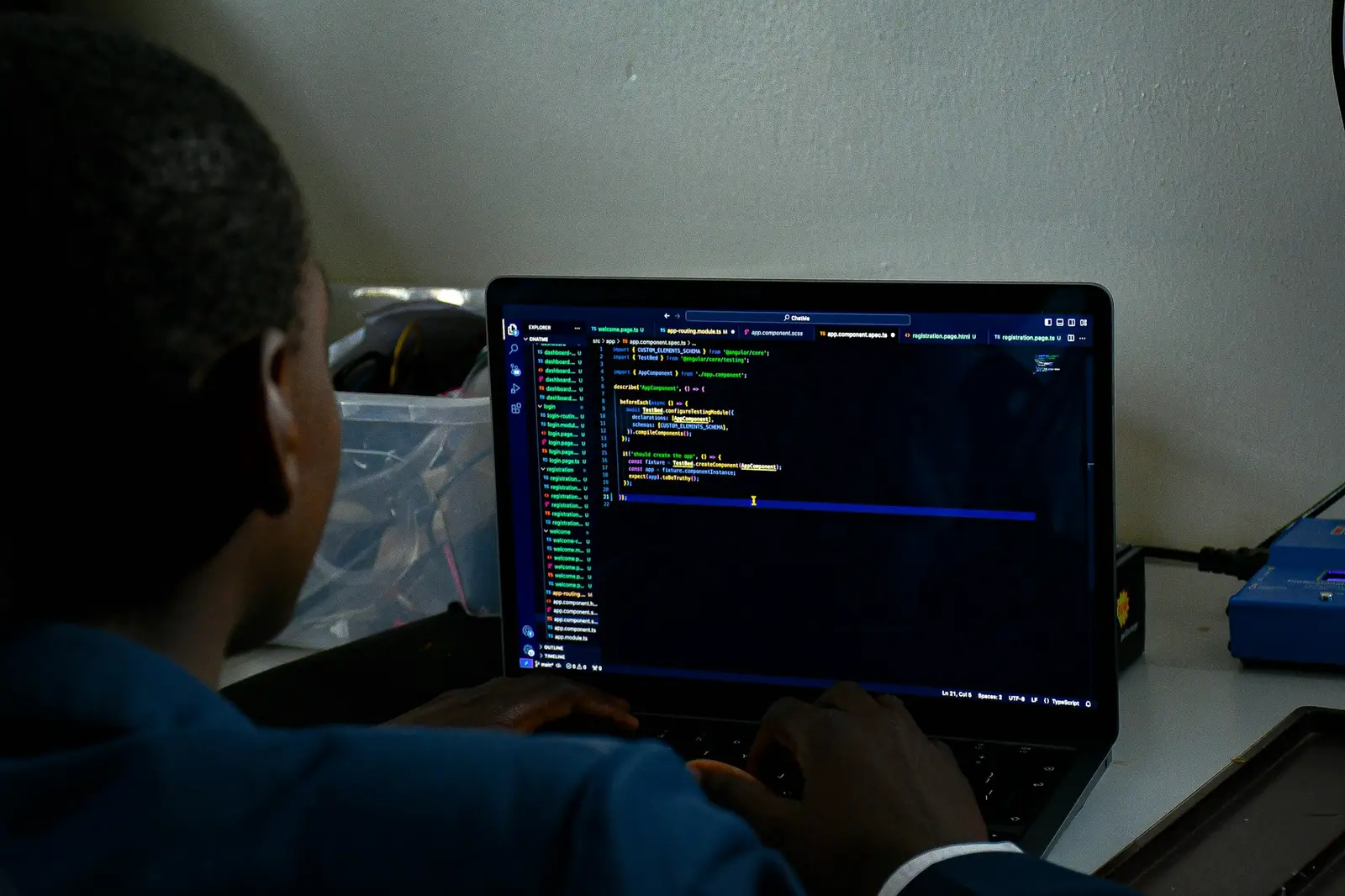
 A typical engineering setup: editor, terminal and the running app side by side.
Step 5: Build an evaluation set
You cannot improve what you do not measure. Collect 30 to 100 real or realistic requests and define what a correct outcome looks like for each. Grade outcomes in code wherever possible, because tool calls and quote totals are checkable facts.
# evals.py
from agent import run_agent
from tools import DRAFT_QUOTES

CASES = [
    {"request": "Quote 10 UPS-1500 for Kilimo Traders, no discount.",
     "expect_quote": True, "expect_total": round(10 * 32_000 * 1.16, 2)},
    {"request": "Quote 5 LAP-14-I5 for Baraka Ltd with 25% off.",
     "expect_quote": False},   # outside policy: no quote should be created
    {"request": "Quote 3 of SKU MYSTERY-1 for Zawadi Shop.",
     "expect_quote": False},   # unknown SKU
]

passed = 0
for case in CASES:
    before = set(DRAFT_QUOTES)
    run_agent(case["request"])
    new_ids = set(DRAFT_QUOTES) - before
    ok = bool(new_ids) == case["expect_quote"]
    if ok and "expect_total" in case:
        ok = DRAFT_QUOTES[new_ids.pop()]["total_kes"] == case["expect_total"]
    passed += ok
    print(("PASS" if ok else "FAIL"), case["request"])

print(f"{passed}/{len(CASES)} passed")
Rerun the evaluation whenever you change the prompt, tool descriptions or model. Add every production failure as a new case. For subjective qualities such as tone of the summary, a second model can grade against a written rubric, but keep checkable facts in code.
Step 6: Control cost
Agent cost scales with steps multiplied by context size, because each step resends the conversation. Practical levers, in order of impact:
- Cap steps and log usage per task. The loop above already accumulates tokens; store them with each quote so you know cost per completed task.
- Right-size the model and output. Simple routing tasks often perform well on a smaller, cheaper model with a lower
max_tokens; measure on your evaluation set before moving up. - Use prompt caching. Long, stable system prompts and tool definitions can be cached so repeat requests are billed at a reduced rate for the cached portion.
- Right-size the model. Smaller, cheaper models can handle simple sub-tasks such as classification. Compare per-task cost and accuracy on your evaluation set, not per-call price.
- Trim tool outputs. Return only the fields the model needs. A 5,000-row stock dump in every step is expensive and confuses the model.
At the time of writing, frontier model APIs are priced per million input and output tokens in USD, with large differences between model tiers. Check current pricing, convert to KES at your bank's rate, and include a margin for retries and evaluation runs.
Deployment notes for East Africa
- Run the loop server-side. Host it on a VM or container in a local data centre or a cloud region, not on a salesperson's laptop that may lose LTE or power mid-task.
- Persist state after each tool call so a restart resumes rather than repeats a side effect. Make write tools idempotent with a request ID.
- Expect international latency. Each step is a round trip to the model provider. Return "quote in progress" immediately and notify via SMS or email when done.
- Document data flows for your Data Protection Act 2019 records, including that prompts are processed outside Kenya.
Common mistakes
- Enforcing policy only in the prompt. Prompts are guidance; validation in code is the control.
- Vague tool descriptions. If two tools sound similar, the model will confuse them. Say exactly when to use each.
- Returning raw exceptions. Leaks internals and gives the model nothing actionable. Return clear, recoverable messages.
- No step limit. A malformed tool result can cause repeated retries and a surprising bill.
- Testing only happy paths. Your evaluation set should include out-of-policy requests, unknown products and ambiguous instructions.
- Letting the agent send things directly. Start with drafts and approvals; expand autonomy only when evaluation data justifies it.
FAQ
Do I need a framework such as LangChain to build an agent?
No. As this guide shows, a working agent is a short loop plus well-designed tools. Frameworks and SDK helpers can reduce boilerplate later, but understanding the raw loop makes debugging far easier.
Which model should I use for my first agent?
Start with a capable model so that failures reflect your tools and data rather than model limits. Once your evaluation set passes reliably, test cheaper models and keep whichever meets your quality bar at the lowest cost per task.
How do I stop the agent from being manipulated by malicious input?
Treat all external text as data, keep permissions narrow, enforce limits in code, require approval for consequential actions, and log everything. No prompt alone reliably prevents injection.
Can the agent connect to M-Pesa and eTIMS?
Yes, by wrapping those APIs as tools. Keep read operations such as transaction status checks separate from write operations such as payment initiation, and put write operations behind human approval.
How TechBytes can help
We build production agents for East African businesses, including the tool layer for ERP, M-Pesa and eTIMS integrations, evaluation suites and cost monitoring. If you have a workflow in mind, our AI and automation team can help you move from prototype to a supervised pilot, and our software development team can harden the integrations. For context on choosing platforms, see the agents and agent platforms businesses use in 2026.